On October 15th, the Berkeley Lab is updating our Virtual Private Network (VPN) client software to the latest version, which has been re-branded as Cisco Secure Client. Previously called Cisco Anyconnect, this updated version performs the same functions, but will have a new look and slightly different presentation.
Users may install the Cisco Secure Client in two different ways:
- Manually: Visit software.lbl.gov. Find the Cisco VPN client software and install the version listed in the “Evaluation Releases” section.
- Automatically: Users will be automatically updated to Cisco Secure Client when connecting to the VPN starting on October 15th, 2025.
The updated VPN software will show the new name and use your computer’s built-in browser for login instead of a pop-up window from the app. If you’re already logged in to an LBL browser session, the VPN will use that login automatically and may not ask you to sign in again. A browser window may appear briefly while your session is verified, and after login you might see a message saying the window can be closed.
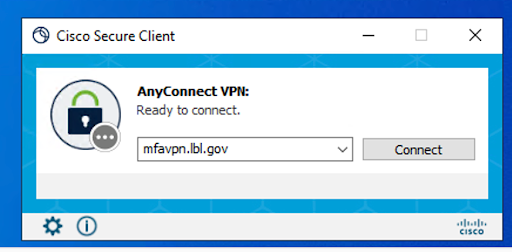
This is what the Windows Connection Dialog will look like:
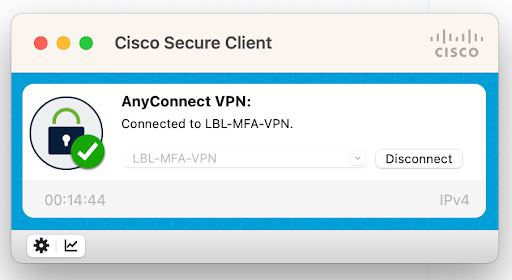
This is what the MacOS connection dialog will look like:
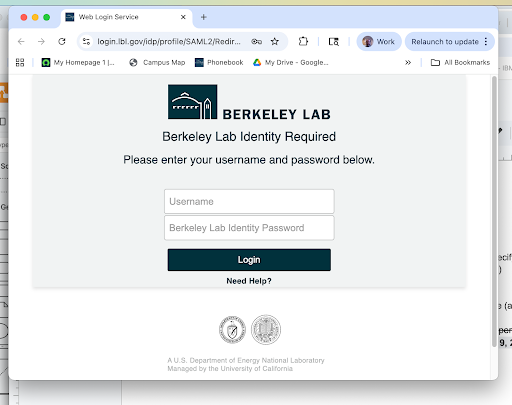
This is what the browser login screen will look like:
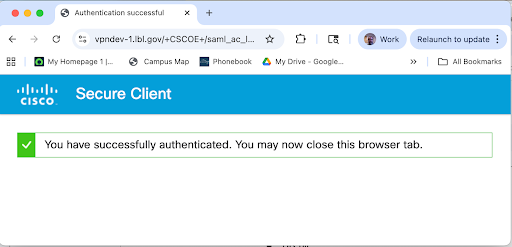
This is what the post-login message will look like: