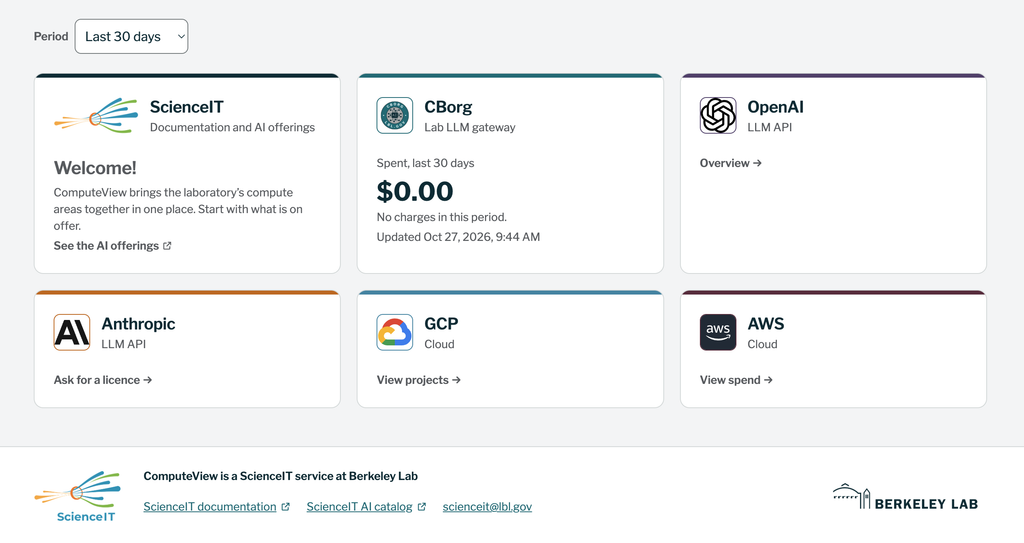
IT Division’s new ComputeView site helps Berkeley Lab employees track their use of Lab-approved AI services and help them understand the associated costs. By bringing usage, spending, and budget information into one place, ComputeView makes it easier for Berkeley Lab staff to monitor activity and manage project charges.
ComputeView serves as a centralized place to update AI offerings that benefit the lab research and help control the cost. Any frontier model limited-time promotions and cost-effective subscriptions will be evaluated and updated on ComputeView.
Designed for individual users, project managers, and resource analysts, ComputeView provides visibility into services including CBorg, Google Cloud Platform (GCP), Amazon Web Services (AWS), and ChatGPT Enterprise. Each service has its own page outlining not only usage, but specific information about any promotions as well as subscription purchasing. These details help Berkeley Lab staff understand their use of supported computing services and manage associated charges.
“Understanding how you use AI and computing services is an important part of making them work for you,” said Wei Feinstein, ScienceIT Department Lead. “ComputeView gives employees and project teams the visibility and self-service tools they need to manage costs, resolve issues, and make informed decisions about the resources supporting their work.”
ComputeView offers several features to help employees manage their services:
- Track usage and spending: Review your activity and associated costs across supported services. CBorg users can also view detailed token usage—the units AI models use to process information—to better understand how their activity translates into charges.
- Manage CBorg access: Request and manage API keys, which allow applications or code to connect to CBorg. Keys expire after one year. Users connecting from outside the Lab’s network can also add their IP address to the firewall to enable access.
- Manage project charges: Use the CBorg budget screen to manage the project ID (PID) associated with your charges, helping connect usage with the appropriate funding source.
- Troubleshoot CBorg issues: Review errors associated with your activity and get guidance on resolving them. You can also ask an AI model to analyze your previous 24 hours of usage to help diagnose problems.
- Review costs across a project: Authorized project managers and resource analysts can view charges across supported services. Project owners with the appropriate access can see who is charging to their project and review the costs incurred. To request project-level access, contact ScienceIT@lbl.gov.
- Request AI tools and route approvals: Submit a request identifying the AI tool, requested budget, PID, and approver. ComputeView emails the approver, connecting the request with the appropriate funding and authorization.
Whether you are monitoring your own spending or reviewing costs across a project, ComputeView gives you a clearer picture of how Lab computing resources are being used.
Visit ComputeView to explore your usage, review budget information, and manage your services.

