MFA is highly effective at preventing unauthorized access to Berkeley Lab accounts. With MFA, an attacker will not be able to access accounts simply by stealing a user’s password. The attacker must also steal their phone or Yubikey to access their account.
What are my options to setup Multi-Factor Authentication?
- Self-Service Google Authenticator setup:
- The instructions to setup Google Authenticator are here: Install Google Authenticator and Setup MFA
- If you need any assistance with the setup, you can contact the IT Help Desk at x4357
- Walk-in support with IT:
- Desktop Support is located at 46-125 between the hours of 8:00 AM and 5:00 PM. Yubikeys are $100 and you must provide a Project ID. There is no additional charge for Google Authenticator but you must bring your smartphone with you to 46-125.
- On-site support with IT:
- If on-site support is required, the hourly rate for technician work is $100/hour including travel time and ticket processing time. Yubikeys are an additional $100. You must provide a Project ID before a technician will be sent out. There is no additional charge for Google Authenticator but you must have your smartphone with you.
What exactly is Multi-Factor Authentication?
Single-factor authentication, such as typing a password, is increasingly insufficient protection for online accounts. The combination of phishing, malware, and brute-force guessing present a formidable threat to single-factor authentication. Unauthorized access to your account can have significant harm, both to you personally (financial harm for example) and to the mission and reputation of Berkeley Lab.
Multi-Factor Authentication (MFA) requires more than one factor to authenticate. Most commonly, MFA requires typing a password (first factor) and entering a one-time code (second factor) generated by Google Authenticator on your phone or a Yubikey plugged into your computer.
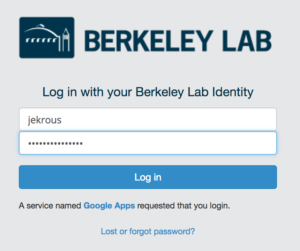
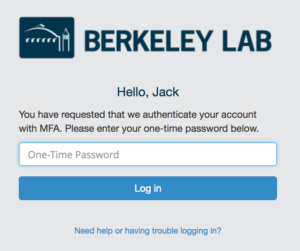
MFA at Berkeley Lab enables you to have a second factor protecting your Lab account. When you login into enterprise applications (behind the Shibboleth Single Sign-On), you will first be prompted for a username and password when prompted for a one-time code.
If you have questions regarding MFA, please submit a help ticket or contact the IT Help Desk at 4357.
Visit the IT FAQ for step-by-step guidance on MFA setup, transferring tokens, Yubikeys, and more.
 in the bottom right or navigate to